Live streaming from a studio: what you need to do it well
What you need in cameras, audio and connection to live stream from a studio without surprises: a practical guide for launches, events and live social broadcasts.
More and more requests come in for something other than recording content to edit later: going live. A product launch, an open talk, a company event broadcast for people who can't come to the room. The logic changes completely once the word live enters: there is no room to repeat a take.
In live streaming there is no post-production in between. What goes out is what the audience sees, in the moment, errors included if there are any. That forces you to prepare beforehand what in a normal recording you can fix later: framing, audio levels, transitions between cameras, on-screen graphics. At A0Studios we set up live broadcasts fairly often and the key is always the same: prepare the whole flow before going live, don't improvise as you go.
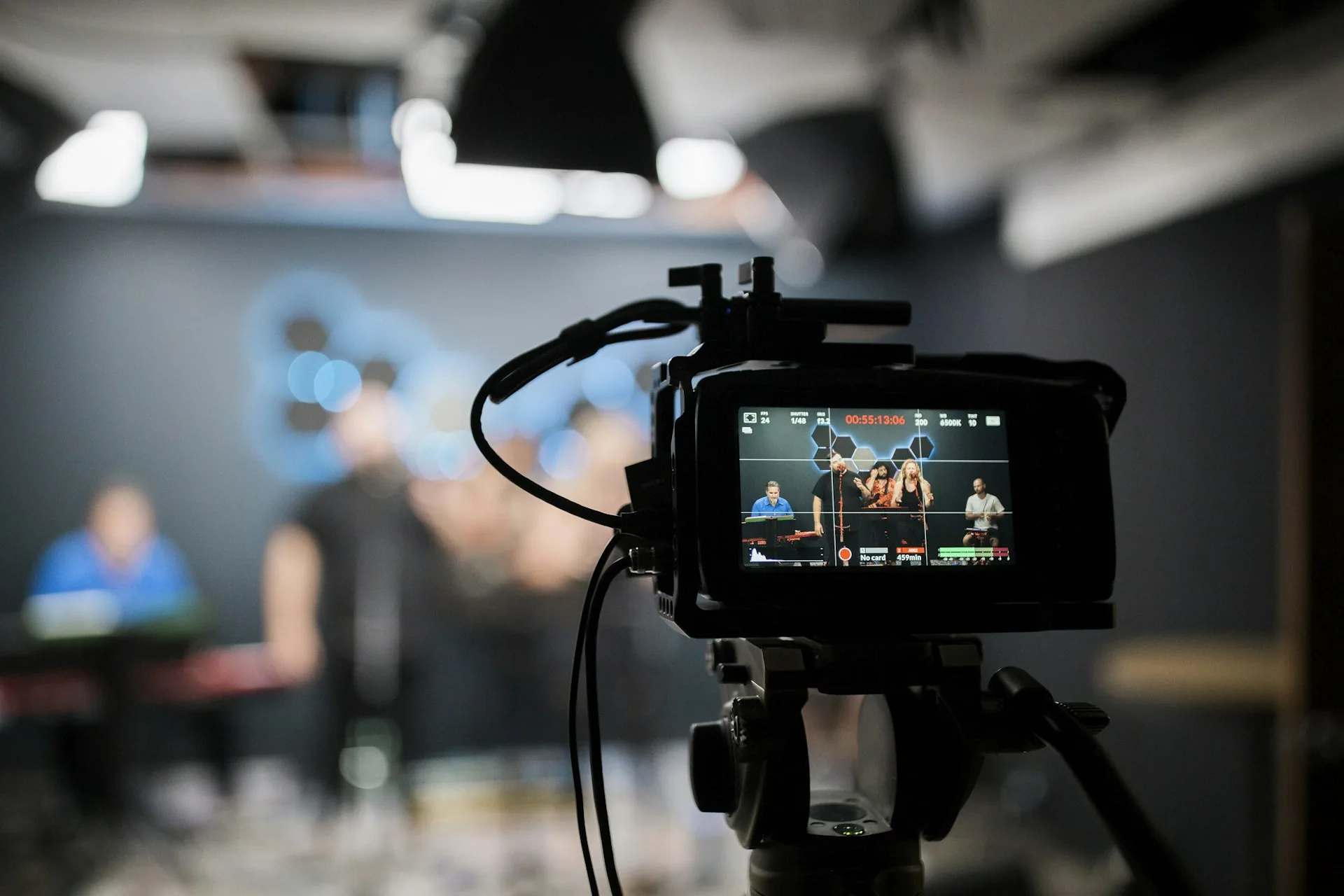
What changes between recording content and live streaming
Recording gives you a margin for error. If something fails, you cut, repeat or fix it in the edit. In a live broadcast that safety net disappears: audio that sounds bad sounds bad for everyone watching at that moment, and the clumsy camera cut stays there, visible, with no way to undo it.
That is why live streaming needs more rehearsal than a normal recording, even if it runs shorter. Before going live, you should have the camera plan clear, test the audio at the room's real levels, and check that the connection holds the bitrate you will need. None of this is easy to improvise under pressure.
The most common cases we get are product launches with an audience waiting to see it in the moment, open Q&A sessions, and company events where part of the audience can't be physically in the room but wants to follow live from wherever they are.
How to set up a live broadcast that holds up
Internet connection with a backup
The connection is the first thing to fail if it isn't properly prepared, and it is the one thing you can't fix live if it drops. Use an ethernet cable whenever you can, never wifi as your only route, and keep a 4G or 5G router as a backup ready to switch to if the main line cuts out. Set the output bitrate below the maximum your upload connection supports, not at the limit: a stream at 6 Mbps on an 8 Mbps line holds up better than one at exactly 8 Mbps.
Multi-camera with a live switcher
With a single camera, a live broadcast goes flat quickly. A switcher like a Blackmagic ATEM Mini, or a software switcher like OBS Studio, lets you cut between several cameras in real time, add on-screen graphics and send the final signal to the platform without editing anything afterward. The key is deciding in advance which shot to use for each moment: a wide one for the opening, a close shot for the parts with the most content, and a secondary camera for screen sharing or guests.
Clean audio for live, with no room for fixes
In a normal recording, slightly low audio or background noise can be boosted, cleaned or EQ'd in the edit. Live, what sounds in the moment is what reaches the audience. Use a dedicated audio mixer, not the camera's built-in microphone, and do a sound check at the room's real levels before you start, not five minutes after going live.
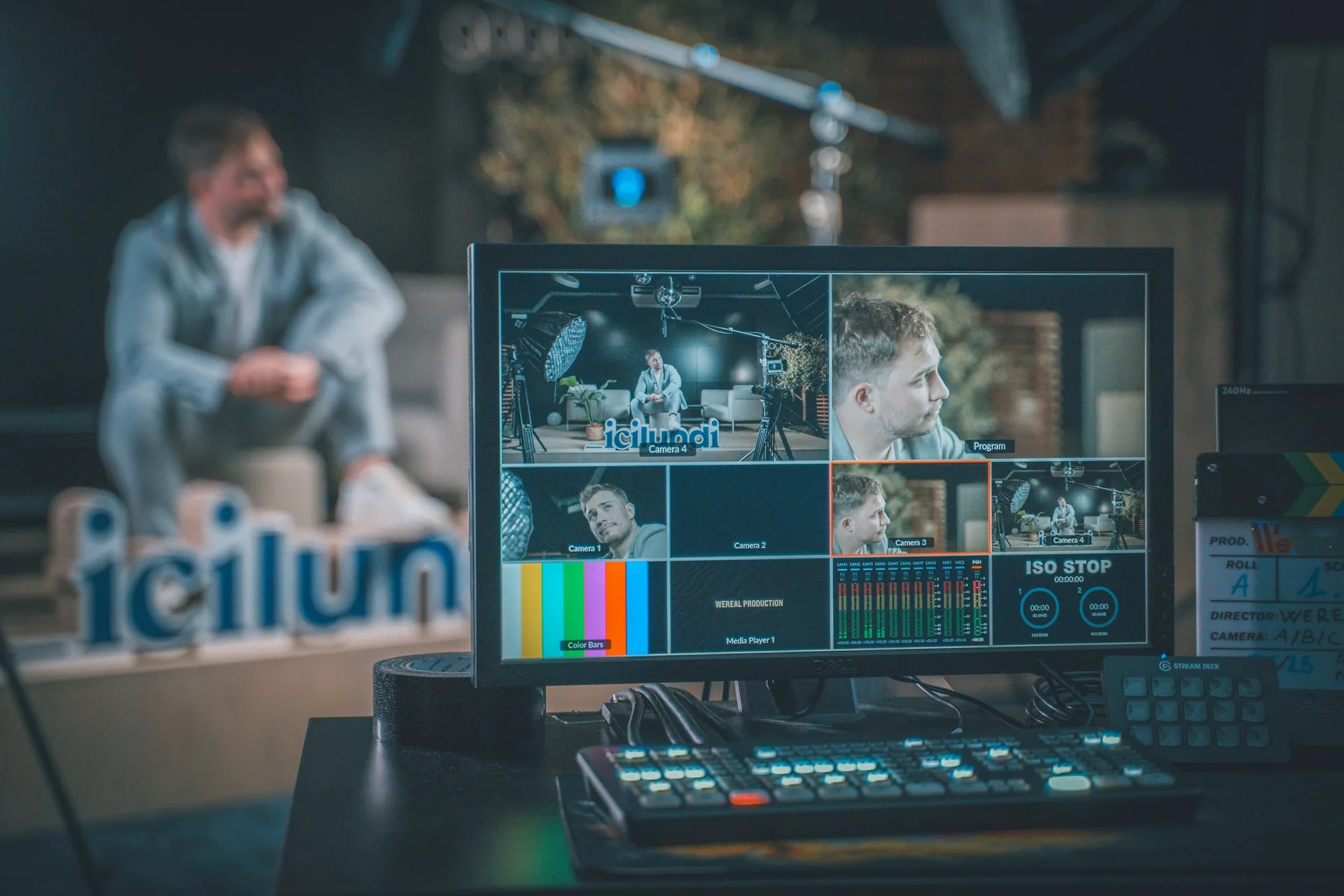
When live streaming makes sense
- Product launch with an audience that wants to see it happen in the moment, not the next day.
- Company event where part of the audience can't attend in person but can follow live.
- Q&A session where going live generates real participation from viewers.
- Interview or panel designed to generate conversation on social media as it happens.
- When what the content offers is precisely that it is happening now, not an edited version afterwards.
Frequently asked questions
What is the minimum I need to live stream from a studio?
A camera with clean output (or a decent webcam to start), an audio mixer, a stable wired internet connection, and a switching software or hardware like OBS or an ATEM Mini to send the signal to the platform.
Can I stream to several platforms at once?
Yes. Tools like Restream or StreamYard let you send the same signal to YouTube, LinkedIn and Instagram at the same time from a single setup, without configuring the broadcast separately on each platform.
What happens if the connection drops during the live broadcast?
That is why you should have a backup 4G or 5G router configured and tested before starting. If the main line goes down, you switch over and stay live with minimal interruption instead of losing the whole broadcast.
Can the live content be edited and reused afterwards?
Yes, if you record locally as well as broadcasting. The full signal can be cut into clips for social media or kept as a complete video, like any other recording, even though it went out live with no room for editing at the time.
If you have an event or a launch that needs to go out live and not just recorded, at A0Studios we set up the streaming with cameras, audio and connection prepared to hold up. Write to us via /#contacto and we'll plan it together.
If you want to record premium content in Madrid, let's talk
From a quick Reels session to a full production day with editing and delivery, we can scope it to fit.